Find out why SketchUp LayOut is SketchUp Pro's best friend!
Originally published in 2017. References to events, registration, prices and professional profiles in this part of the post belong to that period. EBBIM, Empresa Brasileira de BIM, was known as TI Lab at that time.
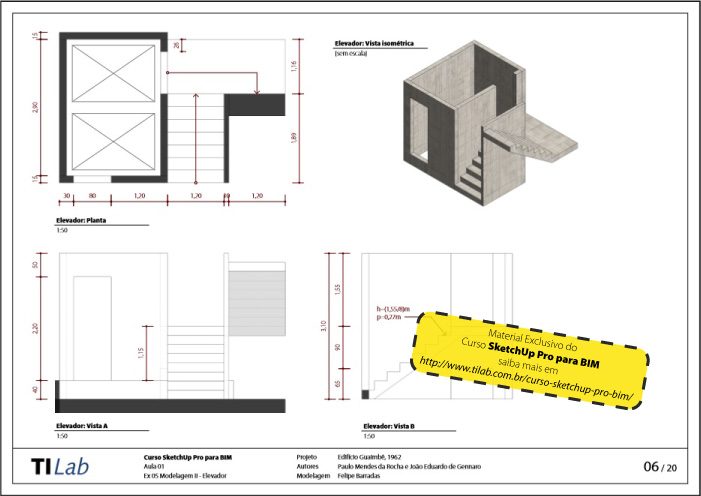 Here at EBBIM, we like to say that SketchUp LayOut is SketchUp Pro's best friend.
SketchUp LayOut is used to put together sheets and presentations of projects modeled in SketchUp Pro. Communication between SketchUp Pro and SketchUp LayOut happens through a feature called Viewport.
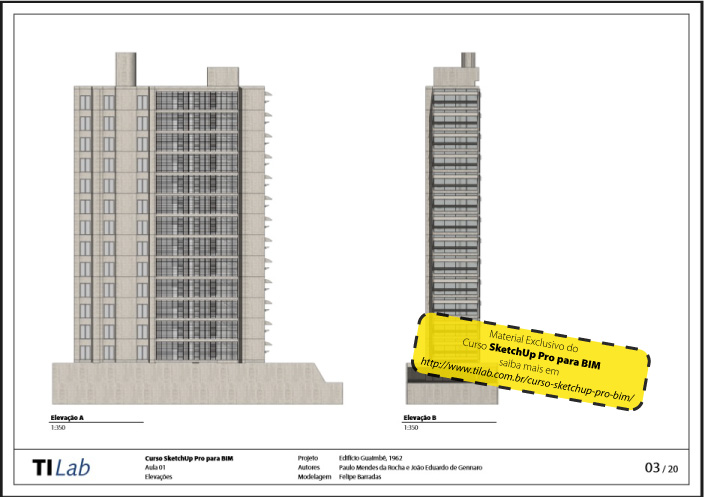
It's possible to have one or more viewports from one or more SketchUp Pro files, feeding sheets in SketchUp LayOut files. Every time one or more models are changed, the changes can be automatically reflected in the LayOut work files.
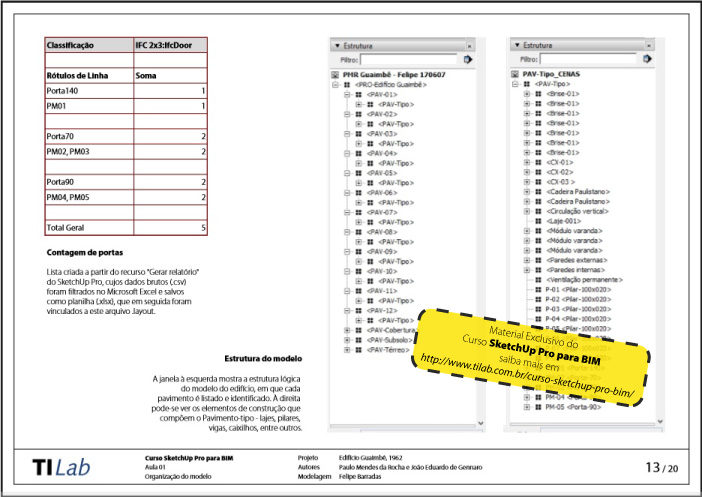
When it comes to presenting projects, someone well trained in SketchUp LayOut practically abandons the well-known practice of exporting SketchUp Pro drawings as DWG to edit in AutoCAD or another CAD software, for example.
In this post, you can see some images of sheets made in SketchUp LayOut. They were made by architect and instructor Felipe Barradas for EBBIM's SketchUp Pro for BIM course. SketchUp for BIM? Yes, you read that right! Here we have a post where we explain a bit more about how to apply IFC attributes to SketchUp components and why this is important. Confused? Take a look!
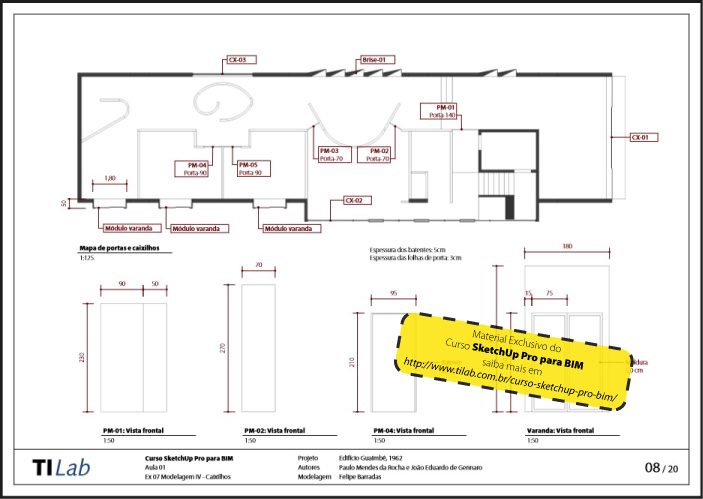
"Nice, but is that really true? How can I learn more about SketchUp LayOut?"
Find out the answers by watching the third SketchUp webinar held by EBBIM in partnership with totalCAD!
The webinar was announced for September 21, 2017, Friday, at 2 PM.
The event was announced with a presentation by architect João Gaspar, director of EBBIM and ProBooks Editora, and Danilo Vilela, marketing director at totalCAD.
The goal is to show how to improve the productivity of your work by optimizing the production of sheets and presentations of your models made in SketchUp Pro!
The original invitation offered viewing online, through the Go To Meeting system, or in person, at EBBIM.
Participation was advertised as free, but spots were advertised as limited.
Invitation from the original announcement.
Click here to go to the totalCAD blog and sign up!
Check out the full playlist below
Watch Creating drawing sheets with SketchUp LayOut on YouTube
See more!
Remember the IFC attributes? They can also be used to generate reports in SketchUp and use them in LayOut, as we explained in this post!
Did you like it? We also have the SketchUp LayOut step-by-step book, so you can learn all this and much more, in physical or eBook version!
Would you like to deepen your knowledge of using SketchUp in BIM workflows? Explore EBBIM’s Curso SketchUp Pro para BIM. The training covers model structure, component properties, IFC exchange and LayOut documentation, complementing the topic of this post.
Historical references: the links below lead to copies of the original pages preserved by the Internet Archive. Downloads, forms and registration on these copies may not work; these references are retained as a record of the publication period.




















