How do you choose BIM software? Explore EBBIM’s comparison tool
Which software fits the way you design? EBBIM, a Brazilian BIM consultancy, training and application development company, offers a software comparison tool based on the method developed by João Gaspar for architectural BIM authoring software.
João Gaspar has studied and presented this subject for many years. In a talk held on July 7, 2016, he discussed how software selection relates to a team’s profile, project needs and assessment criteria. Both parts remain available on EBBIM’s YouTube channel, from the period when the company was called TI Lab.
Figure 1 shows the tool’s entrance page, which introduces the method before the assessment begins.
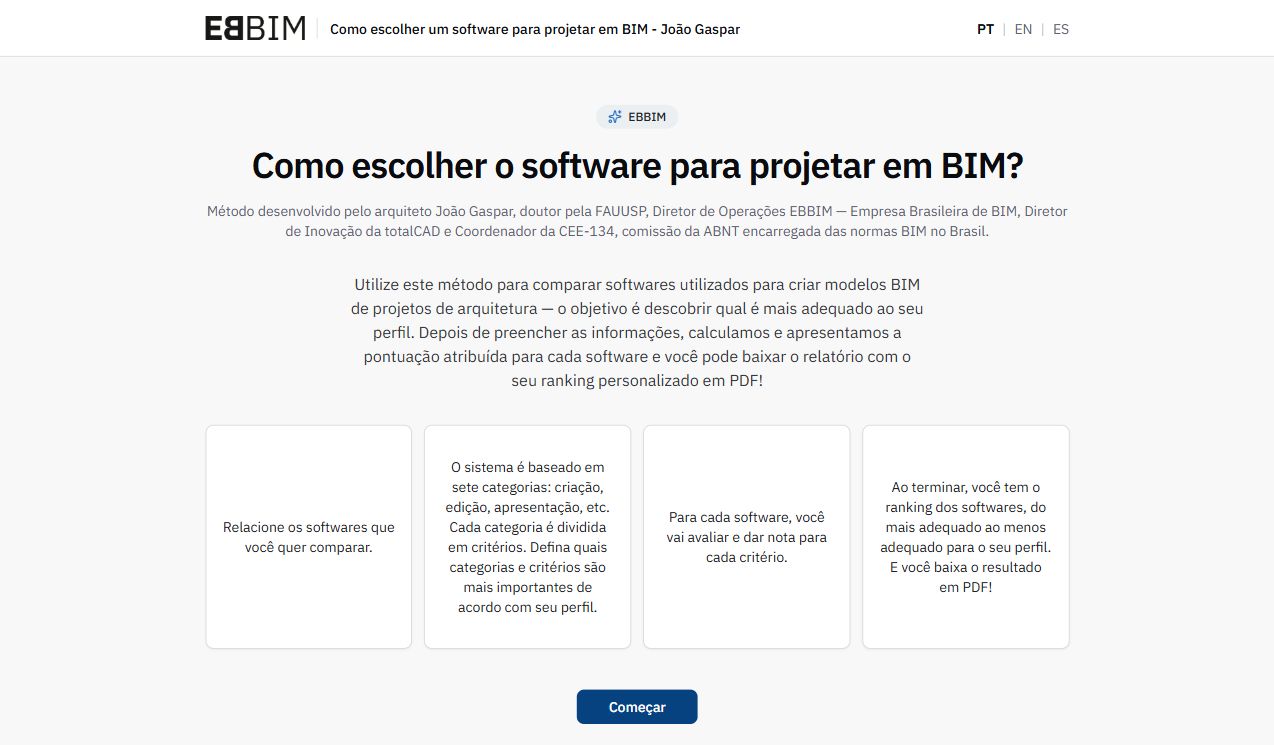
Figure 1 — Entrance page of EBBIM’s software comparison tool. Source: EBBIM. Interface in Portuguese. Source
Start with your priorities
Enter the software you want to compare, then set weights for the categories and criteria. The method has seven categories: Creation, Presentation, Documentation, Internal Communication, Interoperability, User Base and Costs.
In Figure 2, the four initial software names can be edited to choose the programs to compare.
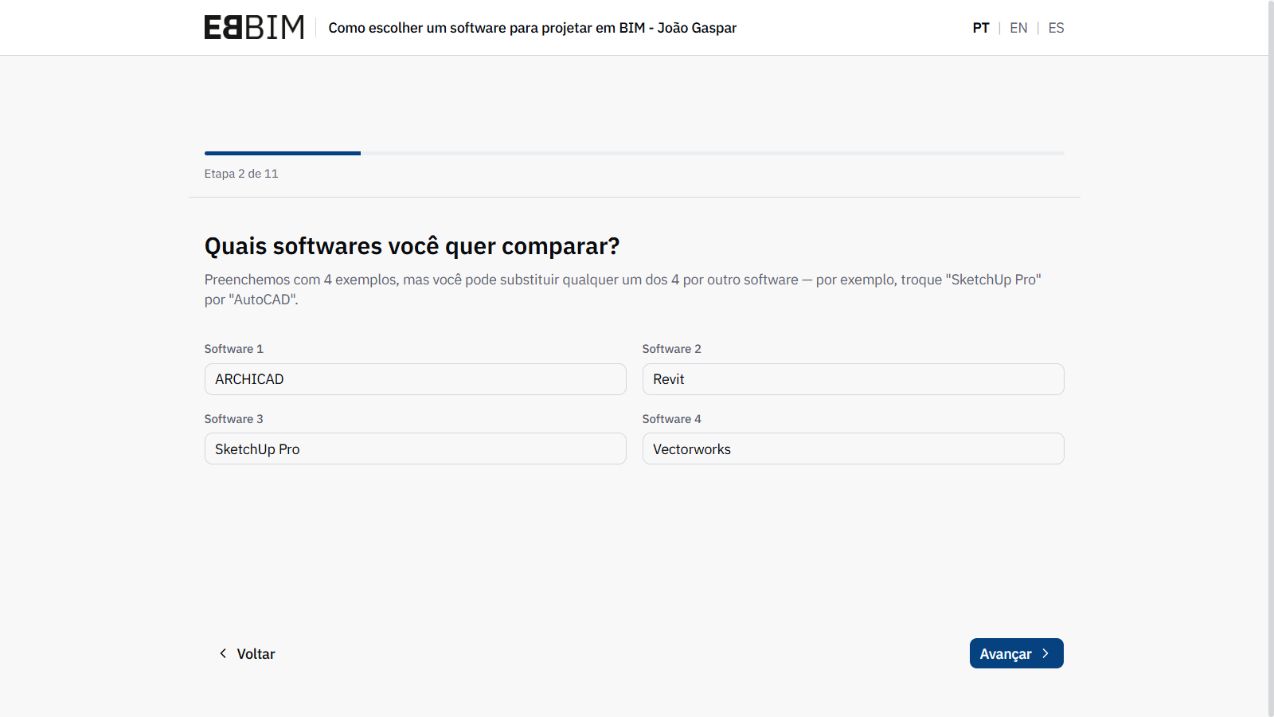
Figure 2 — Choosing the software to compare. Source: EBBIM. Interface in Portuguese. Source
The profile guidance shown in Figure 3 comes before assigning weights.
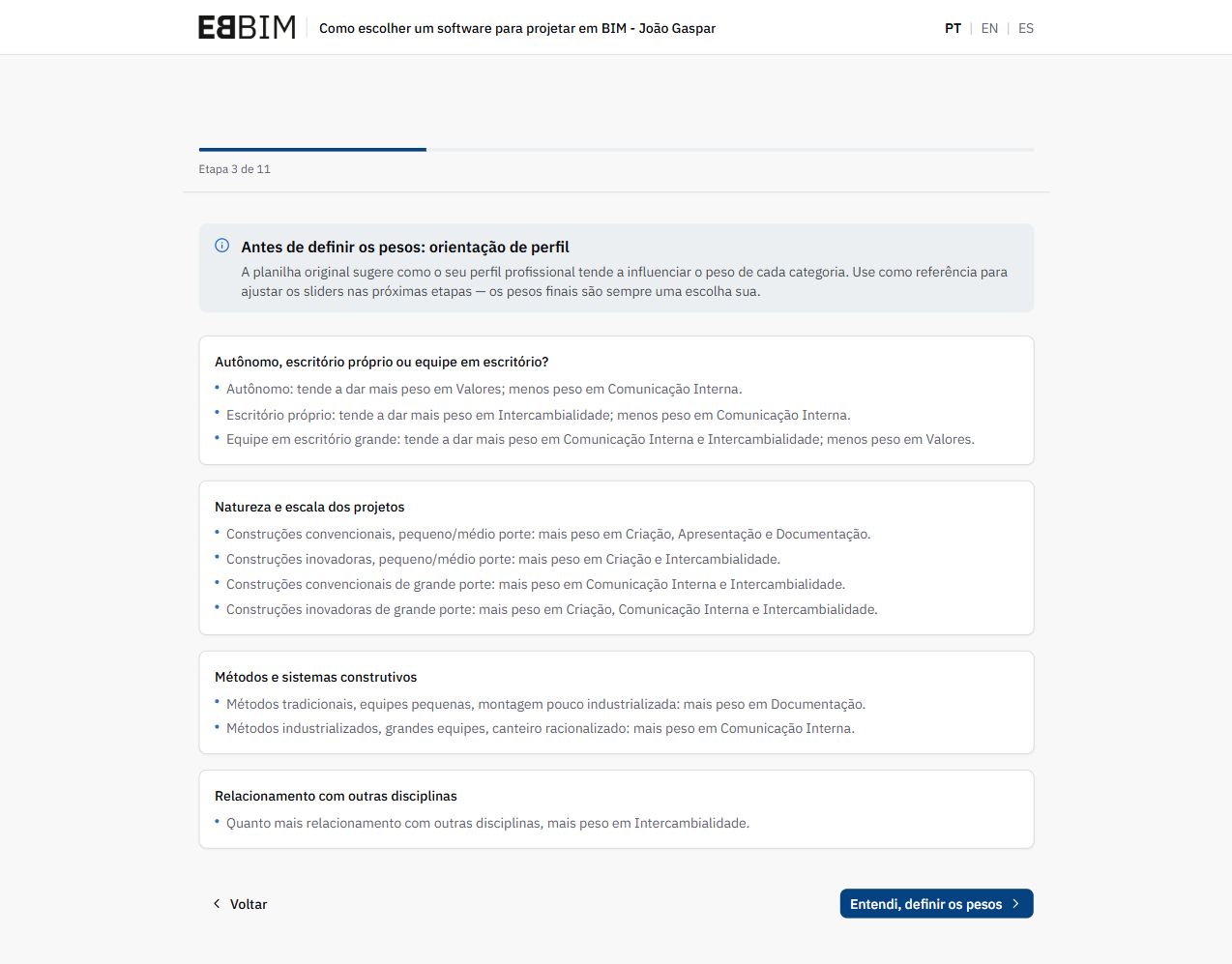
Figure 3 — Profile guidance for assigning weights. Source: EBBIM. Interface in Portuguese. Source
Next, score each software against the criteria. The tool calculates a ranking from the weights and scores you entered, so you can review the result against your work profile. You can replace the four initial software names with the programs you want to assess.
Figure 4 illustrates the category weight, criterion weight and each software’s score. The screenshot shows initial interface values, rather than a completed assessment.
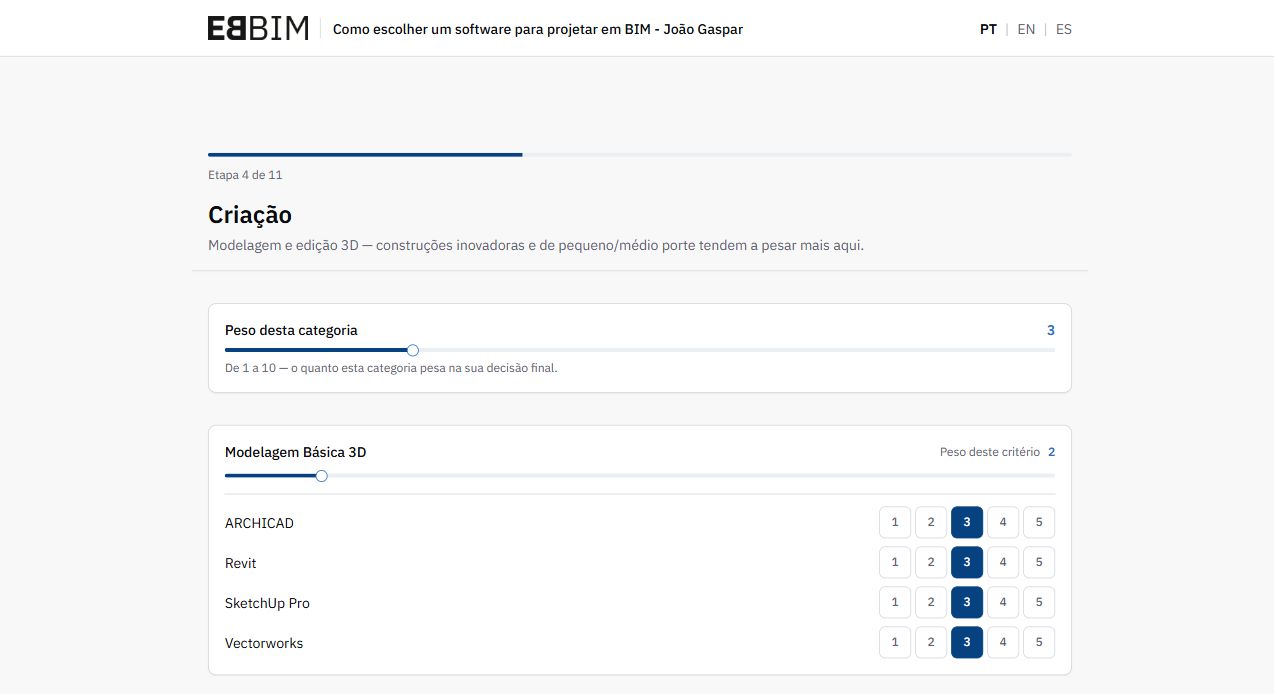
Figure 4 — Weight and score controls in the Creation category. Source: EBBIM. Interface in Portuguese. Source
From assessment to report
When you finish, you can review the scores and download a PDF report containing your personalized ranking. The page also provides profile guidance to help you define the weights.
Try it with the programs your practice uses or is considering, and record which criteria matter most to your decision.
Explore EBBIM’s BIM software comparison tool