ZWCAD for BIM: explore IFC and RVT file import
Have you received an IFC or RVT model and need its information in your CAD environment? ZWCAD 2026 Professional offers tools to import these models, inspect components and use model data when producing drawings.
ZWCAD is developed by ZWSOFT, whose logo appears in Figure 1. Figures 2 and 3 are official manufacturer materials showing work with IFC in ZWCAD.

Figure 1 — Official logo of ZWSOFT, ZWCAD’s developer. ZWSOFT
What is new
According to totalCAD, the ZWCAD 2026 3.0 update imports RVT files created in Revit versions 2015 through 2025. It also adds section views and improves data inspection and extraction.
For IFC, totalCAD lists support for IFC2x3, IFC4, IFC4x1, IFC4x2 and IFC4x3, with component inspection, property sets and IFC export. The IFCMULTIIMPORT command brings multiple IFC files into the same project.
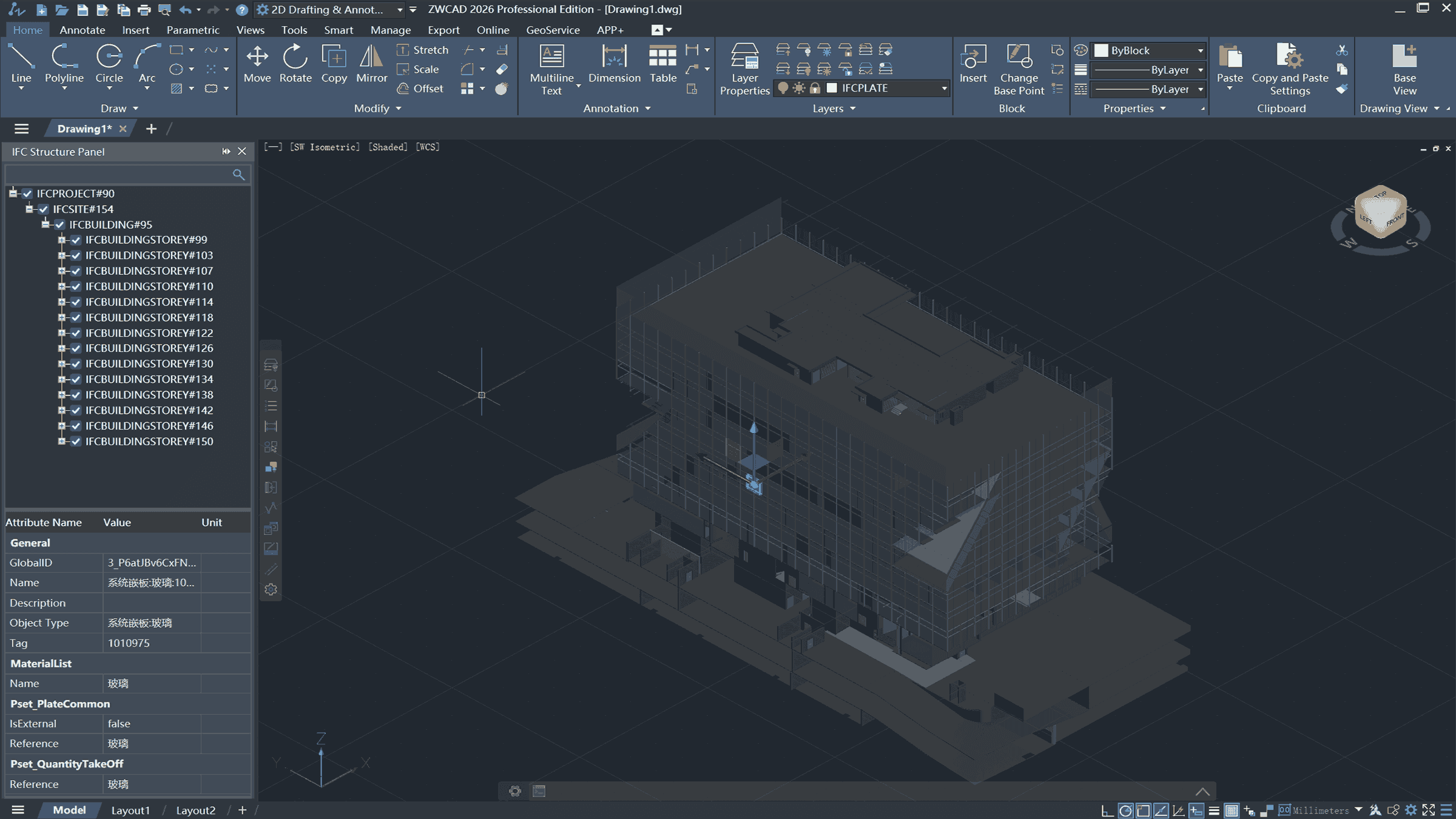
Figure 2 — An IFC model open in ZWCAD, with its component tree and properties. Official ZWSOFT image. ZWSOFT
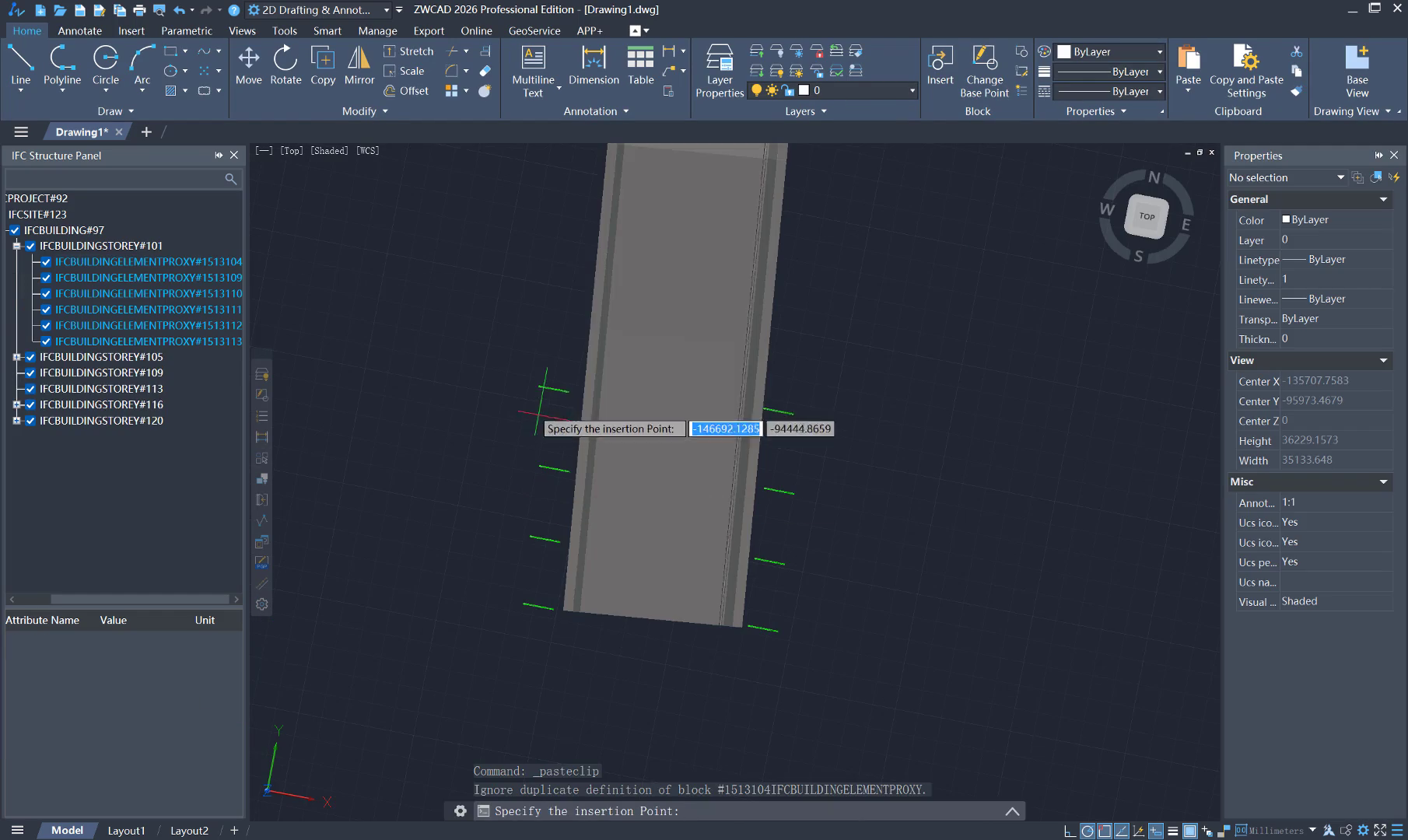
Figure 3 — Frame at 12 seconds from the official “IFC Import, Edit, Export” video, showing a model component and the IFC panel. Source: ZWSOFT. ZWSOFT
Availability depends on the edition. ZWSOFT states that Standard does not include RVT import or section views and, from version 2026 1.1, no longer includes IFC-related functions. Check the Professional edition when assessing this workflow.
Training and purchasing
EBBIM’s ZWCAD Pro para BIM course covers 3D navigation, IFC models, BCF notifications, quantities and documentation using ZWCAD Pro and the ZW IFC Extractor plug-in. Visit the course page for new classes or to propose a dedicated group.
Figure 4 identifies EBBIM’s course; the link below the image opens its syllabus and current conditions.

Figure 4 — EBBIM’s ZWCAD Pro para BIM course with Alison Cruz. Source: EBBIM. EBBIM
Explore EBBIM’s ZWCAD Pro para BIM course
View ZWCAD Pro purchasing options at totalCAD