Learn more about Viz Pro, the "Grasshopper" for SketchUp Pro
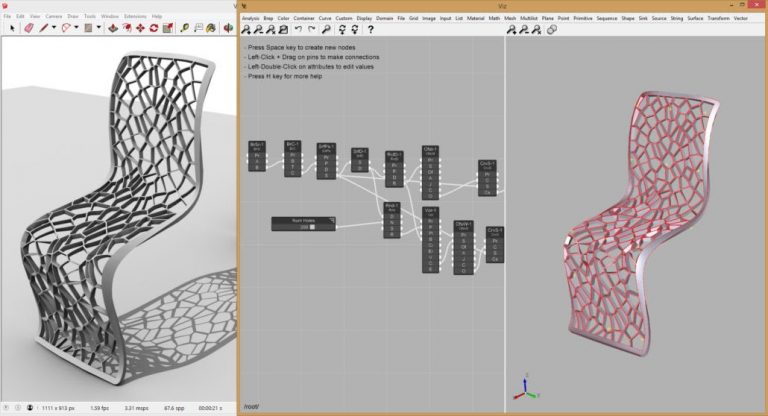
Viz Pro is an extension for SketchUp Pro, developed by the American company Fluid Interactive. It is a plug-in that gives SketchUp users the opportunity to develop projects using a computational resource known as visual programming language - visual programming language, or VPL.
What is a visual programming language?
A visual programming language allows you to create routines, or scripts, using graphical elements, such as boxes and arrows, which contain instructions for carrying out a given operation (JOST et al., 2014); for the work to be carried out, such boxes and arrows must be connected, forming a flowchart, which represents the sequence of commands to be executed.
This produces a kind of timeline with instructions for carrying out a certain task, and this allows the programmer to make adjustments at certain points along this timeline, should they be interested in exploring alternatives to the originally obtained result. Therefore, the use of visual programming languages can be quite interesting for the development of projects in architecture, urban planning, interiors, landscaping, engineering, furniture design, and all kinds of products, since it allows for great flexibility in studying options related to the same intended outcome.
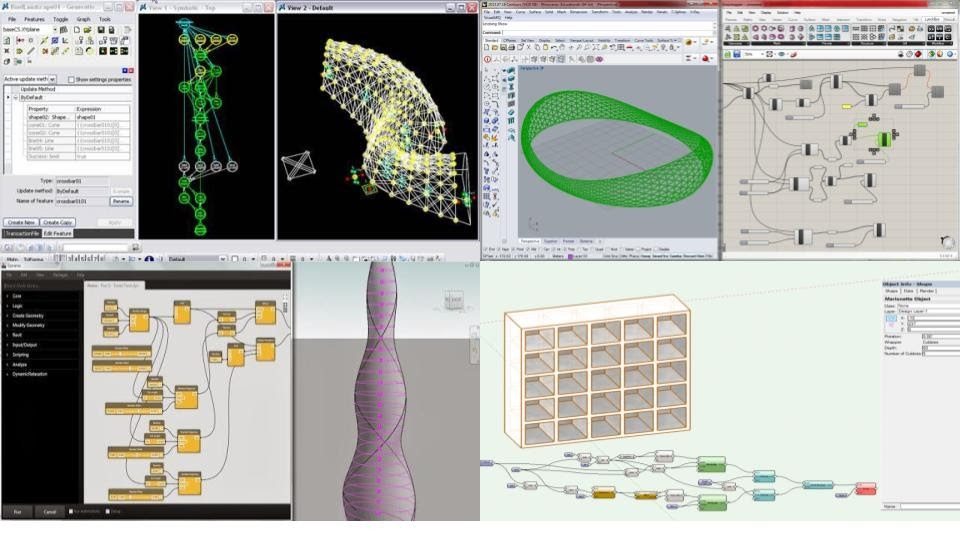
When it comes to design software, visual programming languages emerged as implementations that expand the capabilities of the main program. The first VPL released for design software in this market was Generative Components, by Robert Aish, for Bentley Microstation, in 2003, followed by Grasshopper, by David Rutten, for Rhinoceros 3D, in 2007. After that came the implementations Dynamo, for Revit, by Ian Keough, in 2011, and Marionette, for Vectorworks, in 2017.
About Viz Pro
Viz Pro, therefore, is to SketchUp Pro what the solutions mentioned above are to their respective host programs. It is a VPL that works as a piece of software hosted within SketchUp Pro. You can download Viz Pro at https://www.fluidinteractive.com/products/sketchup-extensions/viz/. There is a free trial version, which works for 15 days; the commercial license costs US$99.00. The purchase is made directly through the company's website.
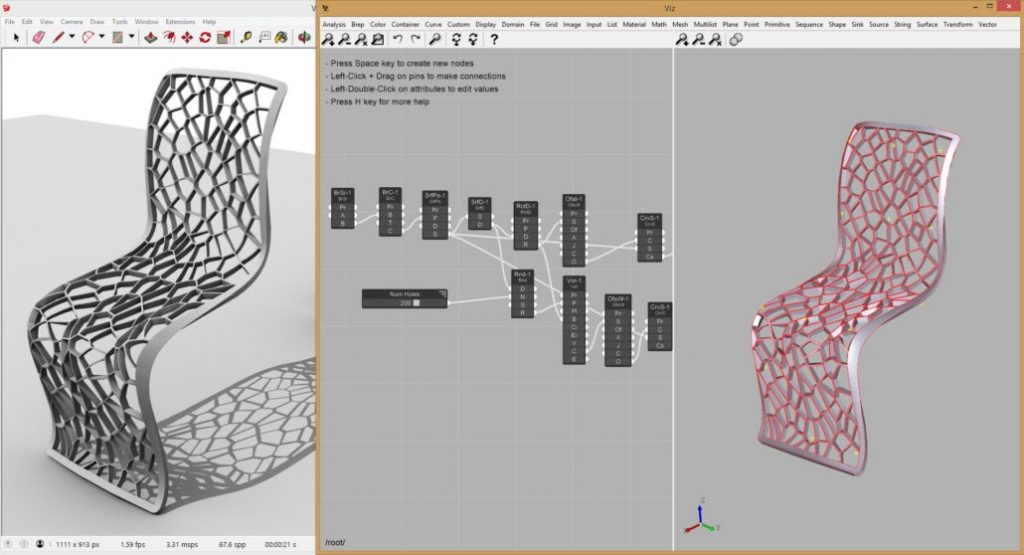
Viz Pro is installed manually, through the Extension Manager. Once installed, the plug-in has just two buttons: the first opens the Viz Pro interface, and the second button is used to select a SketchUp geometry as the source shape to be processed through the VPL.
Creating the first object: a cylinder
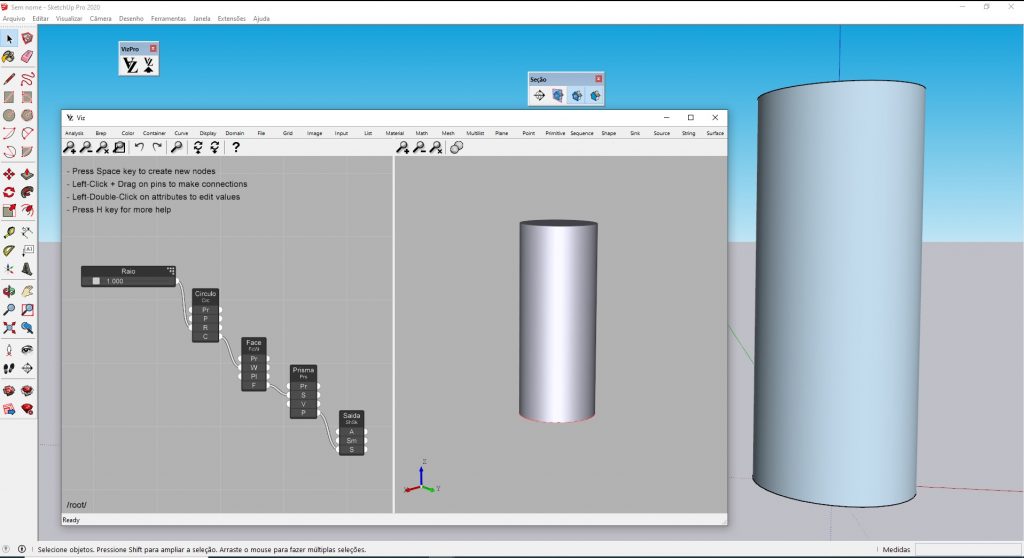
Viz Pro has an excellent manual/tutorial to help you start understanding how a visual programming language works, and the first test proposed by the manual is creating a cylinder. The image below is the result of my first test: I created the cylinder, without difficulty, following the steps in the tutorial (https://www.fluidinteractive.com/products/sketchup-extensions/viz/help/parametric-cylinder/).
On the Viz Pro website, in addition to the tutorials that will teach you to deepen your understanding of how a VPL works, you can download several sample files (http://scripts.fluidinteractive.com/download.php?did=VizSketchUpSamples") and take part in the user forum (http://forums.fluidinteractive.com/c/viz/19), to share questions, suggestions, and solutions with other users and with the development team.
Conclusion
A visual programming language is a very powerful resource; in design software, such as SketchUp Pro, it becomes an important ally for creating models from a flow of commands represented by boxes and arrows. Through changes that can be made to the values associated with the boxes, as well as changes to the progression of the information flow, the designer has the ability to study and test several alternatives in a short time, in order to produce a product, or even a family of products. Viz Pro is, so far, the only VPL available for SketchUp, and it works in a similar way to other solutions that exist on other platforms. The Viz Pro website offers good tutorials, and you can quickly start learning how a VPL works and what its benefits are.
Would you like to deepen your knowledge of using SketchUp in BIM workflows? Explore EBBIM’s Curso SketchUp Pro para BIM. The training covers model structure, component properties, IFC exchange and LayOut documentation, complementing the topic of this post.




















