SketchUp 2016 - Check out what's new!
Understand the main differences of the new SketchUp 2016 version
Since being acquired by Trimble, SketchUp has been going through constant improvements with every update, both in terms of processing power and improvements to its tools, integration with other solutions, and also the interface, noticeably improving comfort and usability.
Here is a list of the main new features in SketchUp Pro 2016!
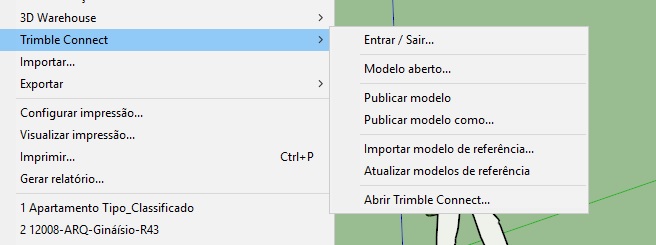
1 - Direct connection with Trimble Connect, the online platform for project collaboration and coordination
One of the most important innovations in SketchUp Pro 2016, if not the biggest one, is the official integration with Trimble Connect, the cloud-based platform for project collaboration, coordination, and tracking. In the 2015 version, it was necessary to install an extension; now the connection is built into SketchUp and has been significantly improved. Soon, it won't be possible to think of an efficient design process without a tool like Trimble Connect. To learn more about the service, check out this post on our blog:
http://dicasdebim.tilab.com.br/2015/04/15/trimble-connect/
The tools that integrate SketchUp with Trimble Connect are so important that they deserve a post of their own (or a new topic in our upcoming SketchUp Pro step by step book, hehe).
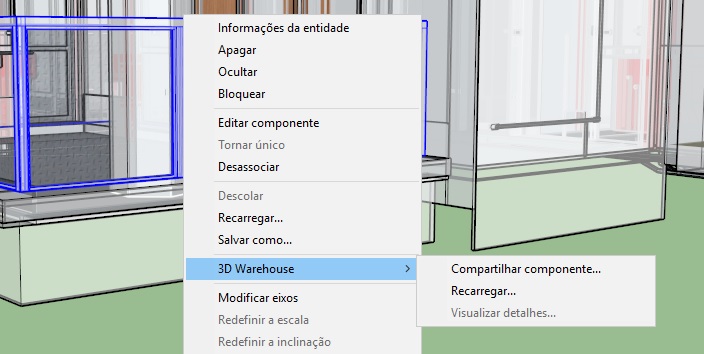
2 - Replace a component of your model with any component from the 3D Warehouse
It is now possible to replace any component of your model with any component from the 3D Warehouse (yes, Trimble gave up on the Portuguese name "Armazém 3D") just by right-clicking on the component and choosing 3D Warehouse/Reload...
It's a great feature for anyone working with complex models using proxies across different computers. You put your whole collection on the 3D Warehouse and no longer need to worry about having forgotten a component on a particular machine. Right?
3 - New Report Generator!
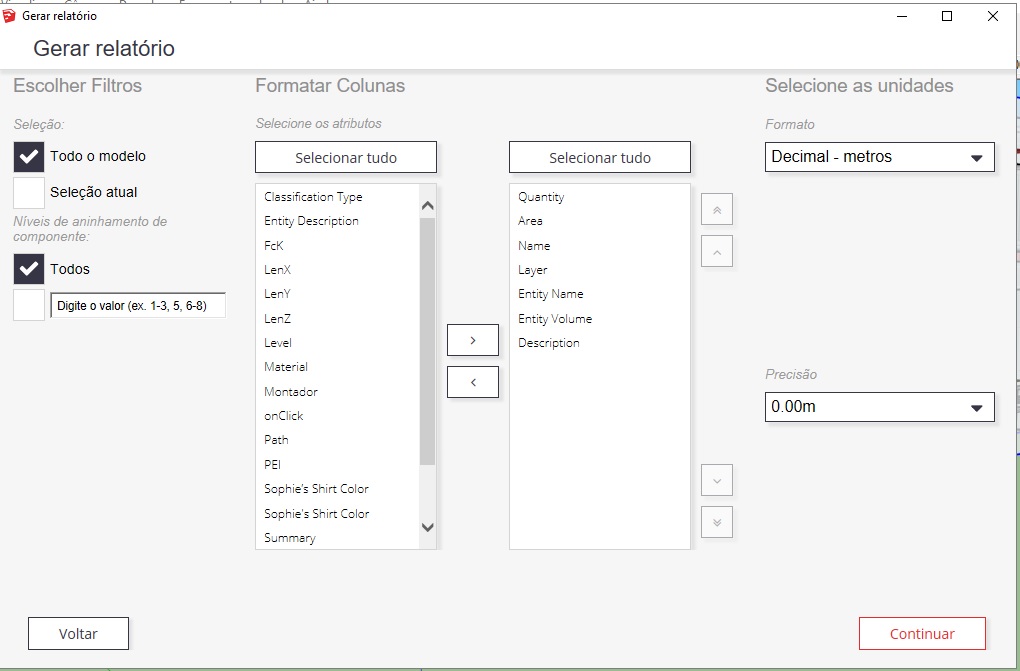
Finally, the SketchUp Report Generator got an update worthy of its importance, especially when it comes to integrating SketchUp 2016 into BIM-based workflows. The new report generator lets you choose the exported units of measurement (it used to be inches only), lets you choose which fields you want to export to the report, among other features. Without a doubt, a great step forward for anyone who uses SketchUp to extract quantities and prepare estimates, an activity that has become increasingly common among users.
4 - Usability improvements to the tools
There are countless improvements to SketchUp's traditional drawing and editing tools: inferences (smart point hints) are much smarter now, as are the tools for drawing Arcs and Circles, and almost all of the object editing tools have been improved. There's so much new here that we will probably do a post just about this in the near future.
5 - Organizing tool palettes into trays
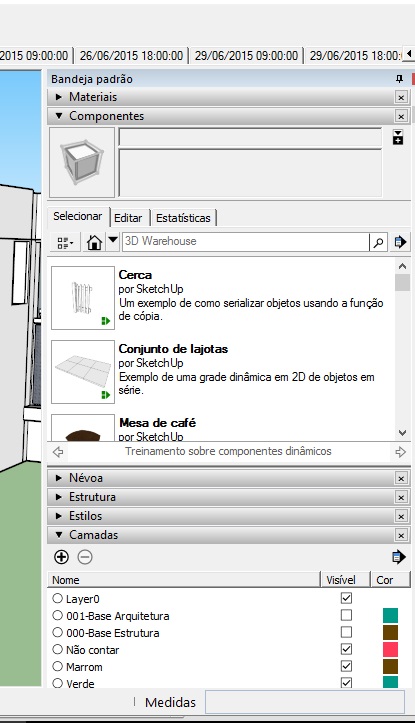
It is now possible to organize the tool palettes in a tray style, as has always been done in SketchUp LayOut and other modeling software. Using the palettes in trays frees up much more drawing area and keeps your screen more organized. You can also create palette groups to better organize your workflow and, if you prefer, you can still use the palettes in the old floating style if you want.
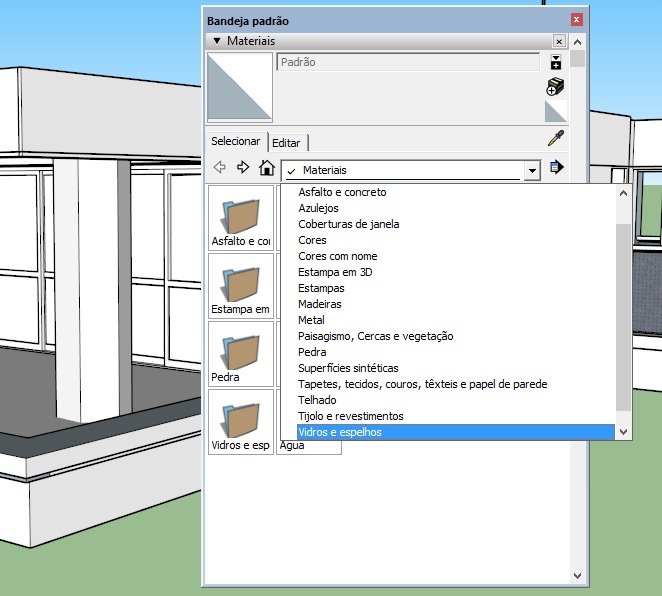
6 - Materials update and reorganization
In the 2016 version, the SketchUp team reorganized the materials and updated the collection, it's worth taking a look!
7 - See the complete official list
The complete list of what's new in SketchUp 2016 is at this link:
http://help.sketchup.com/en/article/141303
Soon, we'll be back with another post about what's new in SketchUp LayOut 2016, which also has amazing new features!
Post update!
If you use SketchUp 2016 (or any other version) for interior architecture projects, you'll love our list of favorite 3D Warehouse collections with furniture, vegetation, human figures, and much more!
Would you like to deepen your knowledge of modeling and organizing projects in SketchUp? Explore EBBIM’s Curso SketchUp Pro do Básico ao Avançado. The training covers modeling sites and buildings, components, materials and scenes, complementing the topic of this post.




















