Skalp - The Plugin That Helps Create Technical Drawings
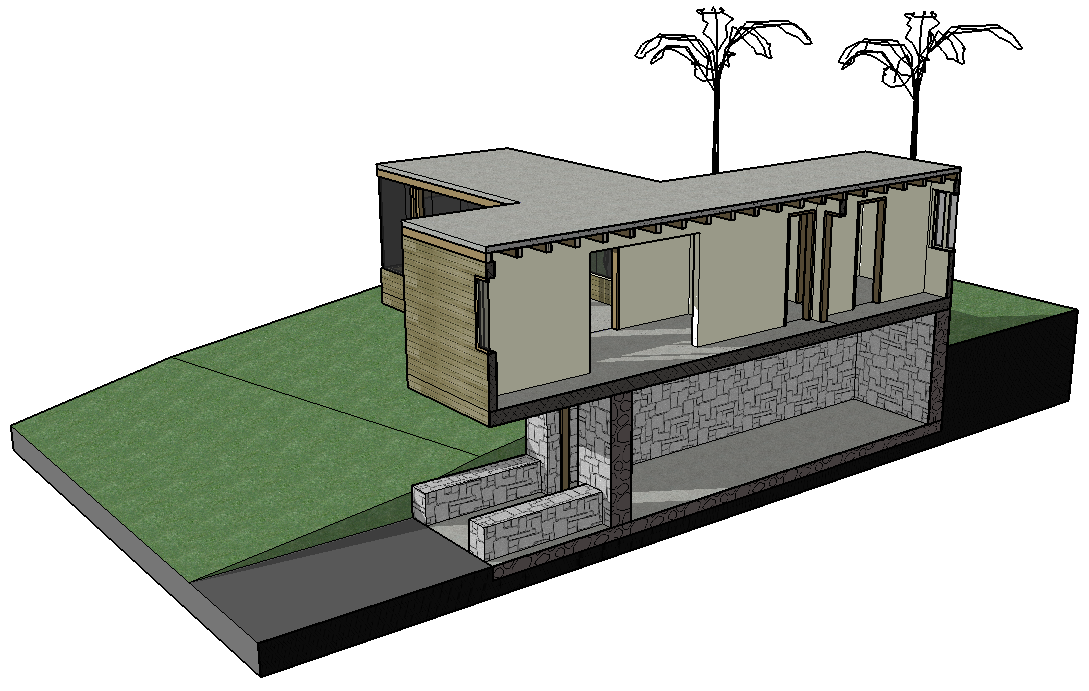
Skalp, produced by the American company of the same name, is a plugin that helps and speeds up the production of technical drawings in SketchUp Pro. You can try the plugin for 14 days, and the license costs US$79.00 (prices as of January 2015), and it can be used on up to two computers. You can download the plugin at http://www.skalp4sketchup.com/.
In addition to easily sectioning planes in any direction and filling them with editable hatches, the plugin automatically generates groups and scenes from the created cutting planes. After creating sections, you can change the scale of the hatches for printing.
The plugin comes with several hatch patterns, and some settings, such as colors and scale, can be adjusted through the Skalp Pattern Design window. You can use several hatches on the same object, simply by creating a new cut. Other hatches, created in other programs in .PAT format, can also be imported.
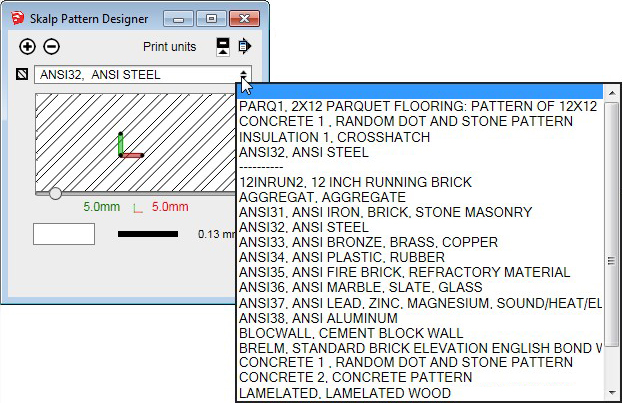
To apply the hatches, there are three possible ways: by object, by layer, or by texture, making the work easier. One of the biggest advantages is that you can export the hatched sections to other programs, such as SketchUp LayOut, or software that reads the .DXF format, such as AutoCAD.
Bibliographic reference:
GASPAR, João. SketchUp Pro Avançado. São Paulo: ProBooks, 2015.
Available at Editora ProBooks
Would you like to deepen your knowledge of modeling and organizing projects in SketchUp? Explore EBBIM’s Curso SketchUp Pro do Básico ao Avançado. The training covers modeling sites and buildings, components, materials and scenes, complementing the topic of this post.




















