Slicer - Physical Model from a 3D Model
You've already learned how to create a terrain from Google Earth topographic data. You've also learned how to color your 3D terrain with a projected texture, according to its topography. Now you need to make the physical model and want to use technology to your advantage...
How to make a physical model from your 3D terrain?
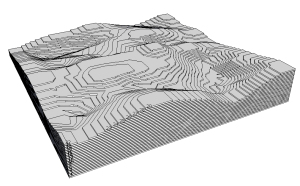
Well then, the Slicer plugin, developed by user TIG, greatly simplifies the work of anyone who wants to make physical models from a 3D model, since it slices a SketchUp component and then unfolds and numbers the slices to make assembly easier. Afterward, you can export the result in .DXF format, for example, so it can be used by a CNC machine or a laser cutter. In the images below, you can see how Slicer turns a terrain into numbered pieces and labels them for cutting.
Original Model
Model sliced by Slicer
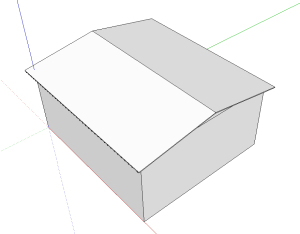
Pieces of a contour curve disassembled and numbered by Slicer
The plugin can be downloaded from the developer's page on the Sketchucation community.
Did you like the tip? Find more content in the SketchUp Pro Avançado book, which can be purchased here. Not sure yet? See the current book page at ProBooks!
If you now want to make a physical model of your model, a good tip is to use the plugin called Pepakura, we have an article here explaining how it works. However, if you have the option of using a 3D printer, you can better understand how this technology works in this article.
Would you like to deepen your knowledge of modeling and organizing projects in SketchUp? Explore EBBIM’s Curso SketchUp Pro do Básico ao Avançado. The training covers modeling sites and buildings, components, materials and scenes, complementing the topic of this post.




















