Make a Staircase With Open Risers!
In this post you saw how to start creating a staircase using the multiple-copy technique. In this post, you'll see the continuation of the staircase creation.
To draw the staircase structure, select the Linha tool and draw its outline as shown in the drawing below.
Use the Empurrar/Puxar tool to give the structure its thickness and turn it into a Componente. Now use the Mover tool (holding the Ctrl key) to copy the structure on the other side.

Now let's make the step have an open riser. To do this, edit the step component by double-clicking on any one of them. Then use the Empurrar/Puxar tool on the bottom part of the step and adjust it to the desired size.
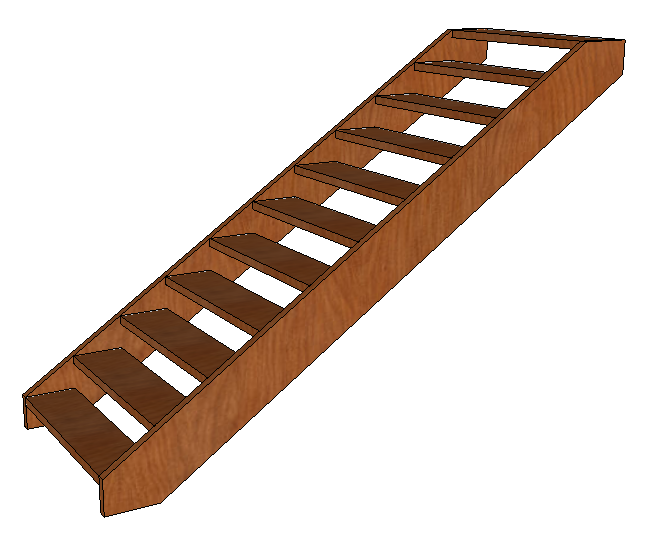
To finish, select all the parts of the staircase and create a component.
Would you like to deepen your knowledge of modeling and organizing projects in SketchUp? Explore EBBIM’s Curso SketchUp Pro do Básico ao Avançado. The training covers modeling sites and buildings, components, materials and scenes, complementing the topic of this post.




















