Check out what's new in SketchUp 2013!
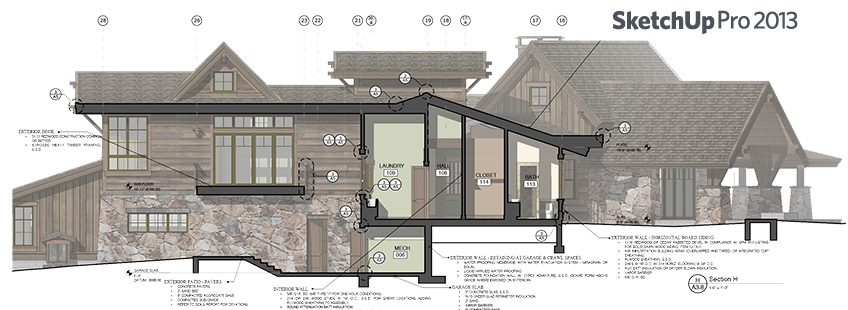
Trimble, the company that develops SketchUp, made the newest update to the program available for download on May 21st.
Several changes were made to the platform, which now goes by the name SketchUp 2013. Here are some of the main new features.
Changes to the product names
As before, SketchUp is offered in two versions, but the names have changed: gone is the sequential numbering (the number 9 will not be used), replaced by naming based on the year (unlike most software companies, SketchUp uses the actual release year as its reference, not the following year). So now we have SketchUp Make 2013 (the free version) and SketchUp Pro 2013 (the paid version).
Differences between the versions
The differences between the free and paid versions remain the same: the paid version lets you import and export drawings in several formats, includes SketchUp LayOut and Style Builder, and contains the tools for creating dynamic components, among other features.
Change in pricing policy
SketchUp Pro 2013 now costs, for a direct purchase on the program's website, US$590 for a license. The previous price was US$495. According to Trimble, this price increase comes with a big advantage. For US$95 you get updates for up to a year after your purchase, and they guarantee that version 2014 will be released within that time.
For those who already have a version 8 license, the upgrade costs US$95 and also guarantees the update in 2014.
As far as I could find, there's no way to buy SketchUp Pro 2013 without the automatic update program, which may leave some users quite unsatisfied.
3D Warehouse
A new landing page was created, but after typing in the desired search term, the next page shows the old site, just like always.
Extension Warehouse (Add-on Store)
This is a big change introduced in the 2013 platform. Following the trend set by several other hardware and software makers, SketchUp now has its own app store (or plug-ins, or add-ons store), the Extension Warehouse. It's become much easier to look for an app and download it. Installation happens automatically, and the management of these objects has improved a lot.
SketchUp Viewer
It was always there, but few people knew about it. SketchUp Viewer is a version of the program that only lets you view SketchUp models (without editing or printing them). On the new site it gets more prominence, alongside the platform's most famous products.
Inside SketchUp Pro 2013
I'll make a list of the main changes I've noticed; I'll keep updating this section as time goes by.
- new icons for the tools (that one was easy to spot)
- change to the Toolbar menu: now you have more options to turn on, edit, and even create new toolbars
- the Building Maker, a tool for quickly modeling objects to send to Google Earth, has disappeared (doesn't seem like anyone missed it)
- the Solar North tools disappeared from the interface and became an extension that can be installed separately
- the plug-in (or add-on, or app) called Advanced Camera Tools is now installed automatically with the program (but you can pretend you didn't notice, if you like)
- new video export formats: finally! now you don't need to use SketchUp on your friend's Mac to export videos in .mp4 with H264 or another decent codec. Another nice touch is the ability to export the images separately for editing in a program like Premiere or Final Cut
And what about SketchUp LayOut 2013?
Many changes were made to SketchUp LayOut 2013. It looks like Trimble intends to improve LayOut's tools to make the platform's technical documentation increasingly easier and more professional (is it trying to compete with AutoCAD?). Let's take a look:
- hatch fills, finally
- improvements to the arrows, or arrowheads
- it's now possible to use dashed lines for dimensions
- multiple copies (arrays). Pretty great, right?
- pages always have numbers, even if you give them different names. That one's really good too.
Well, there must be plenty of other new features hidden throughout the program. Did you spot any? Leave a comment below. The idea is to keep this post updated, so everyone always has somewhere to check the main new features of the SketchUp 2013 platform!
Cheers,
João Gaspar
Would you like to deepen your knowledge of modeling and organizing projects in SketchUp? Explore EBBIM’s Curso SketchUp Pro do Básico ao Avançado. The training covers modeling sites and buildings, components, materials and scenes, complementing the topic of this post.




















