Calculating Volumes in SketchUp
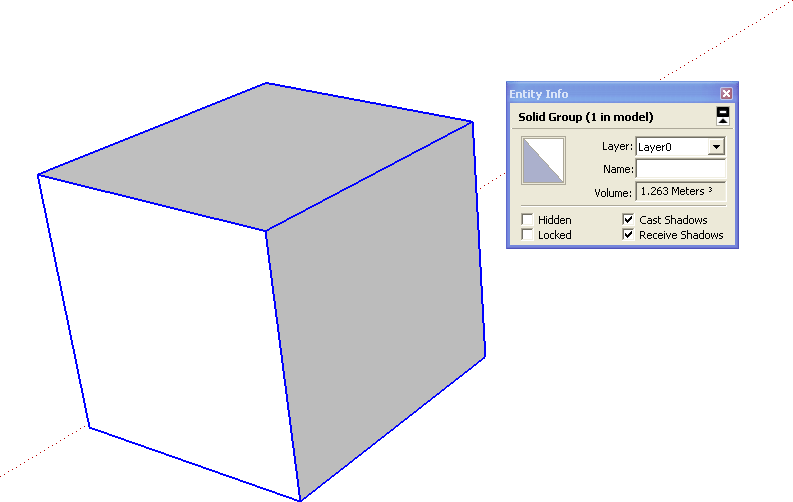
One new feature that came with the new SketchUp 8 was the ability to check the volume value of Solid Groups or Components through the Informações da Entidade (Entity Info) window.
However, when it comes to irregular volumes, this check can be a bit more complicated if we try to measure using SketchUp's traditional methods.
A great tip for quantifying irregular volumes is to use the Volume Calculator, a plugin created by TGI that helps calculate volumes in general (regular and irregular). After running the plugin, a new volume is generated that indicates the values; you'll be able to choose the units to be used, which layer the new object will be placed on, and what color this new volume should have.
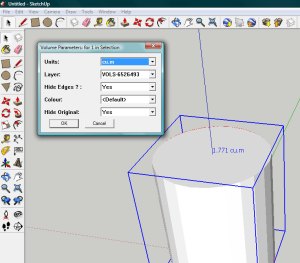
Still in testing, the plugin can be downloaded for free through this link; after downloading it, the file should be saved in SketchUp's plugins folder.
Give it a try and let us know what you thought of this solution. Until the next tip!!
Would you like to deepen your knowledge of modeling and organizing projects in SketchUp? Explore EBBIM’s Curso SketchUp Pro do Básico ao Avançado. The training covers modeling sites and buildings, components, materials and scenes, complementing the topic of this post.




















